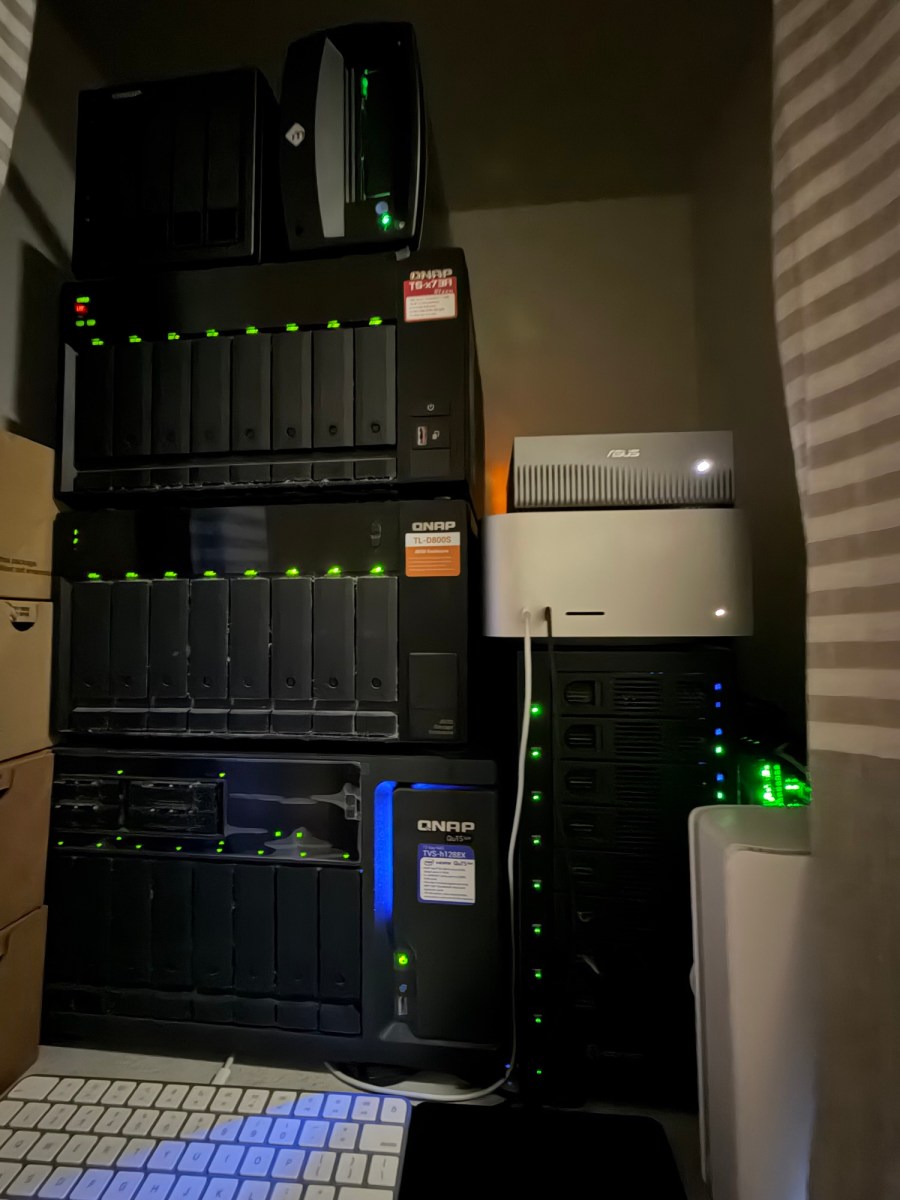
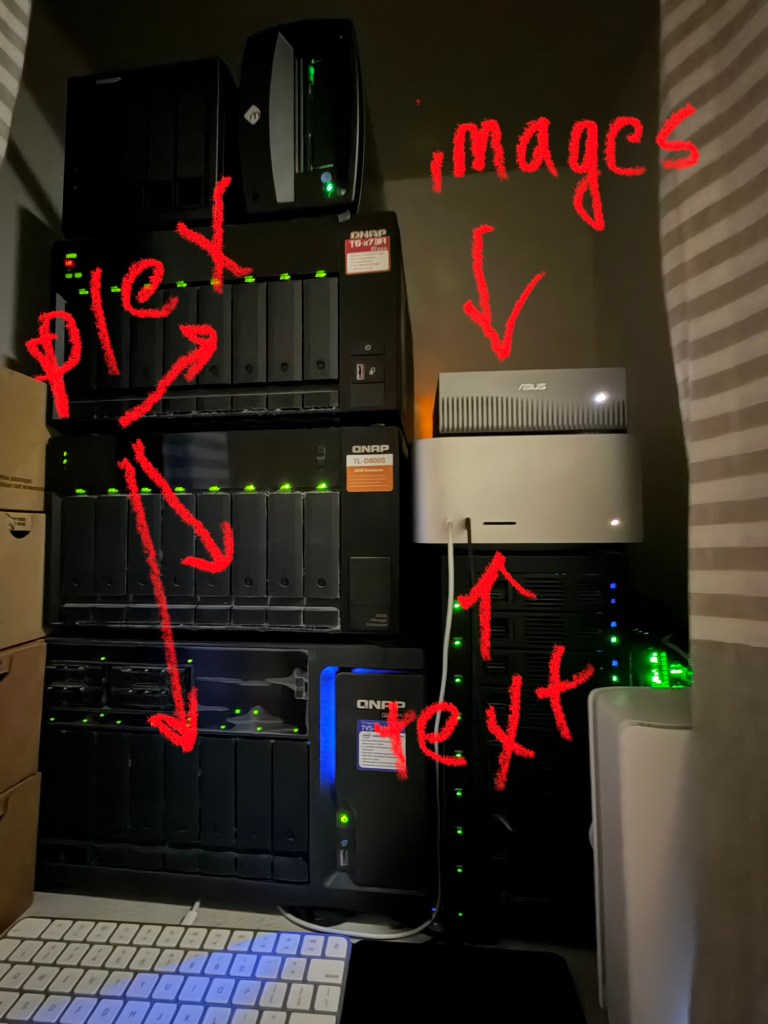
Up front I need to say this: I have a problem. (No — not that one. Well, maybe also that one.) I buy computers. Specifically, I buy computers that sit in a closet and do things I can’t quite explain to my wife. The latest addition is an AI agent that lives on my Mac Studio, talks to a GPU box across the house, and occasionally sends me videos of robot vacuums.
So with that out of the way — what is it, and why does it exist? Let’s get into it!
The Setup (or: How I Talk to a Machine)
The brain of the operation is my Mac Studio — M3 Ultra, 256GB of unified memory (yes, that much; no, I don’t know what I’ll do with it all yet). On top of that runs Hermes Agent, an agent framework from Nous Research. The model doing the actual thinking is a Qwen3 27B (MLX build) running locally through LM Studio — no cloud API, no per-token billing. The whole conversation happens on hardware in my house, which is either very cool or a security nightmare depending on your risk tolerance.
What makes this more than a chatbot is three things: persistent memory (it remembers facts across sessions — “I’ll be back,” as the endoskeleton said), skills (procedural playbooks it loads for specific tasks, like “how to run a ComfyUI workflow on the Spark”), and cron jobs (scheduled automations that fire without me asking). Every day my session resets, but it comes back with its memories intact. It’s like having a very competent intern who never sleeps and occasionally rewrites its own documentation at 3am. I can reach it from Telegram, Discord, and — my favorite — WhatsApp in “self-chat” mode, which means I message myself to talk to the agent. My wife thinks I’ve finally lost it.
The Spark
The muscle is an Asus DGX Spark — NVIDIA’s GB10 Grace Blackwell superchip in a little desktop box, with 20 Arm cores, a Blackwell GPU, 128GB of unified memory, and about a petaflop of FP4 AI performance. It runs ComfyUI (the node-based Stable Diffusion workbench) and SD WebUI Forge, and it’s become my home-lab render farm.
The model inventory has grown to the point where I have to keep a spreadsheet (the agent maintains it, naturally): Flux Dev for high-quality images; the full SDXL suite — base, refiner, turbo; SD 1.5 with a photorealism fine-tune; and the video models — Wan 2.1/2.2 (including the A14B two-stage text-to-video), Hunyuan Video, and LTX-2 — plus a shelf of Lightning LoRAs that distill 20-step renders down to four.
Why does this matter? Because the agent can talk to ComfyUI over its network API. I don’t open a browser, drag nodes around, or babysit a queue. I say “make me a video of X” and it submits the workflow, watches progress over WebSocket, downloads the result, and sends it to my phone.
What Can It Actually Do?
Let’s look at receipts, because I’m a skeptic and so should you.
• Robot vacuum: Wan 2.2 A14B, two-stage high-noise/low-noise sampling with a 4-step Lightning LoRA for speed. 832×480, five seconds at 16fps. Came back in minutes.
• Cyberpunk city: Same pipeline, verified template path — about six minutes on the GB10.
• Kuromi in a village: This one I ran in standard mode (20 steps, no distillation) for character likeness. Forty-four minutes of render time. Worth it? For a five-second clip of a Sanrio character waving at you from a cobblestone street… debatable. (I have no regrets.)
• Flux Dev images: 1024×1024 in about thirty seconds. The hands are still occasionally a suggestion rather than a fact, but the composition is genuinely good.
The pattern: I describe what I want in plain English; it picks the model, sets the parameters, and handles the plumbing. When something breaks — a missing node, a template format quirk — it fixes the tooling and documents the fix in its own skill files. The agent maintains itself, which is either impressive or deeply unsettling.
Beyond the Pictures
Here’s where it stops being a toy. “Let the use case drive the technology selection!” (we at ComplaintsHQ say… pshaw, I’m doing it again.)
• Daily briefing: A cron job fires at 9am, 1pm, and 5pm Pacific: weather for Dublin, Ann Arbor, and NYC (the three places my family actually is), news, stocks, and this week’s movie releases via the TMDB API. Delivered to my phone before I’ve finished coffee.
• Data broker opt-outs: This one’s a full project: a Playwright-based automation that walks the major data brokers, submits opt-out requests for each family profile, tracks state in SQLite, and re-checks monthly. Aragorn said “today I prepare for war” — this is my version, minus the sword and with more CAPTCHAs.
• Home automation: Home Assistant and Philips Hue are wired in, so the same conversation that generates a video can also dim the lights.
• The Apple ecosystem: Notes, Reminders, iMessage, FindMy — all reachable from the same chat.
• Google Workspace: Gmail, Calendar, Drive, Docs — which is how you’re reading this draft right now. (The agent wrote it into a Google Doc, which feels like the future or a liability audit, possibly both.)
And because I’m a control freak: everything runs on my LAN. The LLM is local, the models are local, the data stays in the house. No per-token bills, no “your prompt may be used for training” fine print. The tradeoff is that when it breaks, I’m the on-call engineer. (It broke a lot during setup. It’s much better now.)
Final Verdict
Is this useful? Genuinely, yes — the daily briefing and the data broker automation have already paid for their existence in time saved. Is it a replacement for cloud AI services? No — the render times are what they are (44 minutes is 44 minutes), and wiring up integrations takes real work.
But the combination — a local brain on the Mac, a GB10 render box across the house, and an agent that remembers what it did last week — is the most fun I’ve had with a home lab since The Beast. And for those keeping score at home: the Spark is the star of this setup, and I’d buy it again!
(Admin note…. As keen eyed readers probably noticed, this post was entirely generated by the system described, and posted untouched. The approach was a very simple two step prompt, the first directing Hermes agent to read this blog and learn the tone and writing style, and the second to generate an entry talking through the lab setup and recent activity based on its memory. I think it did ok!)

